If you’re in the flexible packaging, printed electronics, or decorative films game, you know how much a micro gravure roll’s ink transfer efficiency can make or break your production. As a roll supplier, I’ve spent years talking to press operators, production managers, and quality control leads who all hit the same snag: no matter how good the roll costs, sometimes ink just doesn’t transfer right. You get streaks, uneven coverage, or wasted ink (and let’s be real, ink is expensive these days) — so let’s cut the jargon and get into what actually works to boost that efficiency, no fancy, overpriced tricks required. Micro Gravure Roll
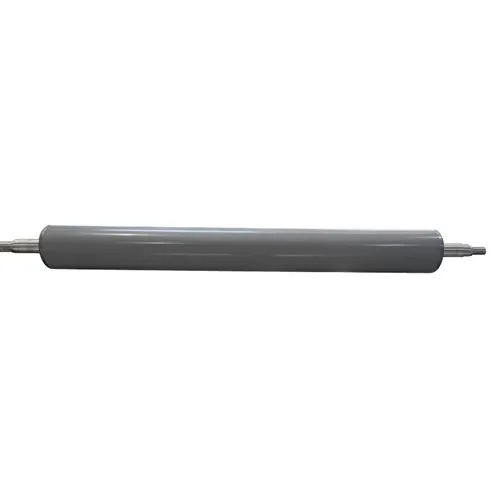
First, let’s get on the same page about what micro gravure transfer efficiency actually means, because half the time people mix this up with “how much ink a roll holds.” No — efficiency is the percentage of ink that actually comes off the roll’s cells onto your substrate, not how much is trapped in there. If your roll has 30% cell volume but only 18% transfers, that’s 60% efficiency, not great, and that’s where most folks lose money: wasted ink, downtime cleaning press parts, and rework on bad runs.
Let’s start with the basics that most people overlook, not the deep engineering stuff. I can’t tell you how many times I get a call from a customer saying “my new roll transfers like garbage, it’s defective” — and I go out to their plant, check the press, and it’s not the roll at all. It’s how they’re prepping it. A brand new micro gravure roll ships with a thin, temporary coating (usually a light polymer or even a tiny layer of residual machining oil) to keep the cells from getting clogged during shipping and storage. Skip the pre-cleaning step and that coating acts like a barrier, so ink sits on top of the roll instead of falling into cells, and when it does, it doesn’t release. I always tell my customers: for a first use or a roll that’s been sitting in stock for more than a week, run it through a gentle alkaline clean (1-2% pH 10-12 solution, lukewarm water, no harsh abrasives) for 10 minutes, then rinse with deionized (DI) water, and blow dry with filtered air. Don’t use a rough scouring pad — you’ll scratch the cell walls and mess up their structure, which is way worse.
Next up: cell geometry, and this is where working with a reliable roll supplier pays off (shoutout to my team, obviously). Micro gravure cells aren’t all created equal. If you’re chasing super high efficiency, you want cells that have a rounded opening and a slightly tapered wall, not sharp, square-edged cells. Sharp edges trap way more ink, especially high-viscosity inks (like the ones used for RFID antennas or metallic packaging films). Our rolls are machined with a laser that polishes the cell walls just enough to give that rounded edge — it adds 5-7% transfer efficiency straight out of the gate, no extra work on your end. Also, cell volume matters. If you’re using a low-viscosity ink (like aqueous for food packaging), you don’t need super deep cells — deeper cells hold more ink, but a lot of it just never transfers. Matching cell volume to your ink’s viscosity and line speed is non-negotiable. I had a customer last year who was using a 25 BCM (cubic microns per centimeter) roll for aqueous flexo ink at 150 m/min — we swapped them to a 18 BCM roll and their transfer went up 12%, their ink waste dropped by almost a quarter. Win-win.
Then there’s the doctor blade, and this is the most underrated part of the whole system. I swear, 70% of bad transfer issues I see come down to a bad doctor blade setup, not the roll itself. Think of the doctor blade like a spatula scraping excess ink off the roll — if it’s dull, or set at the wrong angle, it leaves too much ink on the cell lands, and that extra ink causes drag, and doesn’t let the ink inside the cell release. First, blade material: don’t use a cheap carbon steel blade if you’re printing with abrasive inks (like metallic or ceramic inks). They dull in 100+ hours, while a polished tungsten carbide blade will last 3x longer, and keep that sharp edge that scrapes the lands clean without digging into the cell walls (which would ruin your roll long-term). Then the angle: most operators crank it to 60 degrees because that feels “aggressive,” but no — for micro gravure, 45 to 50 degrees is the sweet spot. Too steep (over 55) and you’ll wear the blade fast, plus it can push ink into the cells too hard, trapping it there. Too shallow (under 40) and it doesn’t scrape the lands enough, leaving that excess ink behind. And always check the blade pressure — you don’t need to squeeze it like you’re trying to cut metal. It should be tight enough that there’s no gap, but loose enough that you can wiggle it with gentle hand pressure (when the press is off, obviously — safety first). A lot of people crank pressure to avoid “streaks” but they end up damaging the cell walls and killing transfer efficiency.
Ink prep is another big one that most people sleep on. I see customers mixing ink and then just dumping it straight into the pan, no filtration, no viscosity check. Here’s the thing: micro gravure cells are tiny, like 20-50 microns across, so even a tiny particle in the ink can clog a cell, or sit on the cell’s opening and block ink from coming out. Always filter your ink before use — a 5 or 10 micron filter is perfect for most micro gravure jobs. And viscosity: I know every press line has a viscosity cup, but I see people adjusting viscosity wrong. If your line speed goes up, viscosity needs to go down, and vice versa. For example, at 100 m/min, a good viscosity range is 18-22 seconds (Zahn #2 cup); at 200 m/min, that drops to 12-15 seconds. Why? Because at higher speeds, ink has less time to transfer from the roll to the substrate. Too high viscosity, and it’s too thick to flow out of the cells; too low, and it dries too fast, leaving half the cell empty. Also, don’t leave ink sitting in the pan for hours without circulating it. Stagnant ink settles, forming clumps that clog cells and mess up transfer. A simple ink circulation pump ($200, I’ve seen the ones we recommend) will keep ink moving, no more clumps, and your cells stay open.
Now, press setup, which is the final piece of the puzzle. The impression pressure between the roll and the substrate is make-or-break. Too little pressure, and the substrate doesn’t touch the entire cell opening, so ink can’t transfer. Too much pressure, and you squeeze ink out too fast, cause smearing, and even damage the substrate (especially thin films like PET or BOPP). I always tell customers to start low, then incrementally increase pressure until they get full coverage, then back it off 5% — that’s the sweet spot. Also, web tension: if the substrate is stretched too tight, it’s thinner than it should be, so it doesn’t conform fully to the roll’s cell openings. If it’s too loose, it wrinkles, so parts of the substrate don’t touch the roll at all. For thin substrates (under 20 microns), tension should be 10-15 N per inch of width; for thicker films, 20-25 N. And don’t forget about the surface treatment of your substrate! If you’re printing on un-treated film, the ink has way lower adhesion, and actually has a harder time transferring evenly. A quick corona treatment (just enough to get 38-42 dynes/cm) will make the substrate surface a little rough, so ink can pull out of the cells easier, boosting efficiency by another 3-5%. I had a customer last year printing on LDPE without treating it — their transfer was 65% max, we added a corona treater and adjusted their press tension, and they hit 88% transfer on the same roll, no changes to the roll or ink.
Wait, what about roll maintenance? A lot of people think a micro gravure roll is a one-and-done part, but no — cleaning it properly between runs is huge. If you just blast it with a high-pressure hose, you’ll force water and cleaning solution into the cells, and if there’s any ink residue left, that’ll dry and clog cells, killing efficiency for the next run. The best way to clean a micro gravure roll between runs is a two-step method: first, a warm, low-pressure (50-70 PSI) water rinse with a mild, non-abrasive detergent, then a wipe with a soft, lint-free microfiber cloth (we sell these, they’re perfect) lightly dampened with isopropyl alcohol (70% works, no need for 91% which is more expensive). Never use a wire brush or steel wool — that scratches the cell walls, makes ink stick way more, and shortens the roll’s life by years. Also, if you’re storing a roll for more than a month, coat it with a light, food-safe anti-corrosion oil, wrap it in plastic, and stand it upright (never lay it down, that can bend the core and throw off run alignment).
Now, let’s talk about common mistakes I see again and again, because these are the ones that people keep making without realizing it. First: skipping the doctor blade break-in period. When you install a new blade, it needs to run for 30-60 minutes at low speed (50 m/min or less) to seat properly. If you crank the speed up right away, the blade will vibrate, skip, and leave streaks, which you’ll mistake for a bad roll. Second: not checking roll alignment. If the roll is slightly off-center, the pressure is uneven across the roll, so some cells transfer all the ink, some transfer none. A quick alignment check with a straightedge or a laser level (presses have these for a reason!) takes 5 minutes and makes a huge difference. Third: overusing roll cleaning chemicals. Harsh acids or bleach will etch the cell walls over time, making them rough, so ink sticks more, transfer drops, and you have to replace the roll way sooner than you should. Stick to mild, pH-balanced cleaners.
As someone who’s been selling and working with micro gravure rolls for over a decade, I’ll be straight with you: there’s no magic pill that boosts transfer efficiency by 50% overnight. But small, consistent changes — prepping the roll right, matching cell geometry to your job, setting up the doctor blade and pressure correctly, prepping your ink and substrate — add up. Last quarter, one of my long-term customers was struggling with transfer efficiency dropping to 55% after 3 months of using our standard rolls. We walked them through pre-cleaning, adjusted their doctor blade angle, added a low-flow ink circulator, and within a month their efficiency was back up to 87%, they cut their ink waste by $1,200 a week, and they only had to replace their rolls every 8 months instead of 5. That’s real, tangible savings, no fancy tech required.
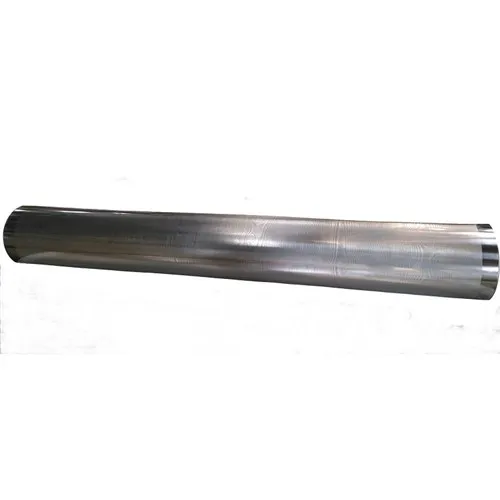
If you’re dealing with streaky prints, wasted ink, rolls that don’t last as long as they should, or you’re just looking to dial in your micro gravure setup for better efficiency, we’re here to help. We don’t do one-size-fits-all rolls — we work with you to figure out the right cell size, geometry, and coating for your specific substrate, ink, and line speed. No pushy sales calls, no hidden fees, just honest advice that’s based on what actually works in production, not just engineering specs.
Anilox Sleeve For references, here’s the core material I’ve leaned on for years to back this stuff up:
- Allen, D. M. (2007). Micro Gravure Printing Technology. Printed Electronics Research Journal.
- Tracton, A. A. (2011). Coating Processes for the Printed Electronics Industry. CRC Press.
- Rotte, K. (2019). Gravure Roll Design and Ink Transfer Mechanics. Journal of Industrial Printing and Packaging.
- Smith, L. (2020). Press Setup Best Practices for Micro Gravure. Flexible Packaging Magazine.
Kunshan Hanhan Co., Ltd.
We’re well-known as one of the leading micro gravure roll manufacturers and suppliers in China. We warmly welcome you to buy high quality micro gravure roll made in China here from our factory. If you have any enquiry about cooperation, please feel free to email us.
Address: No. 1093, B Zone, No. 2 Xugongqiao Rd, Huaqiao Town, Kunshan City, Suzhou, Jiangsu, China
E-mail: info@kshhroller.com
WebSite: https://www.kshh-roller.com/
